Delay before syncing
Set Delay Before Syncing (0-300 seconds) in a table's Advanced settings to combine rapid edits to a record into one sync operation and cut extra updates.
When you're syncing frequently changing data, multiple rapid updates to the same record can create unnecessary sync operations and potential conflicts.
For these cases, you can set a sync delay in Whalesync to wait a specified number of seconds before syncing changes, allowing multiple updates to the same record to be coalesced into a single sync operation.
How it works
Section titled “How it works”When you enable record sync delay, Whalesync will wait the specified number of seconds after detecting a change before syncing that record. If additional changes are made to the same record during this delay period, the timer resets and all changes are combined into a single sync operation.
How to set record sync delay in table settings
Section titled “How to set record sync delay in table settings”-
Open your sync
-
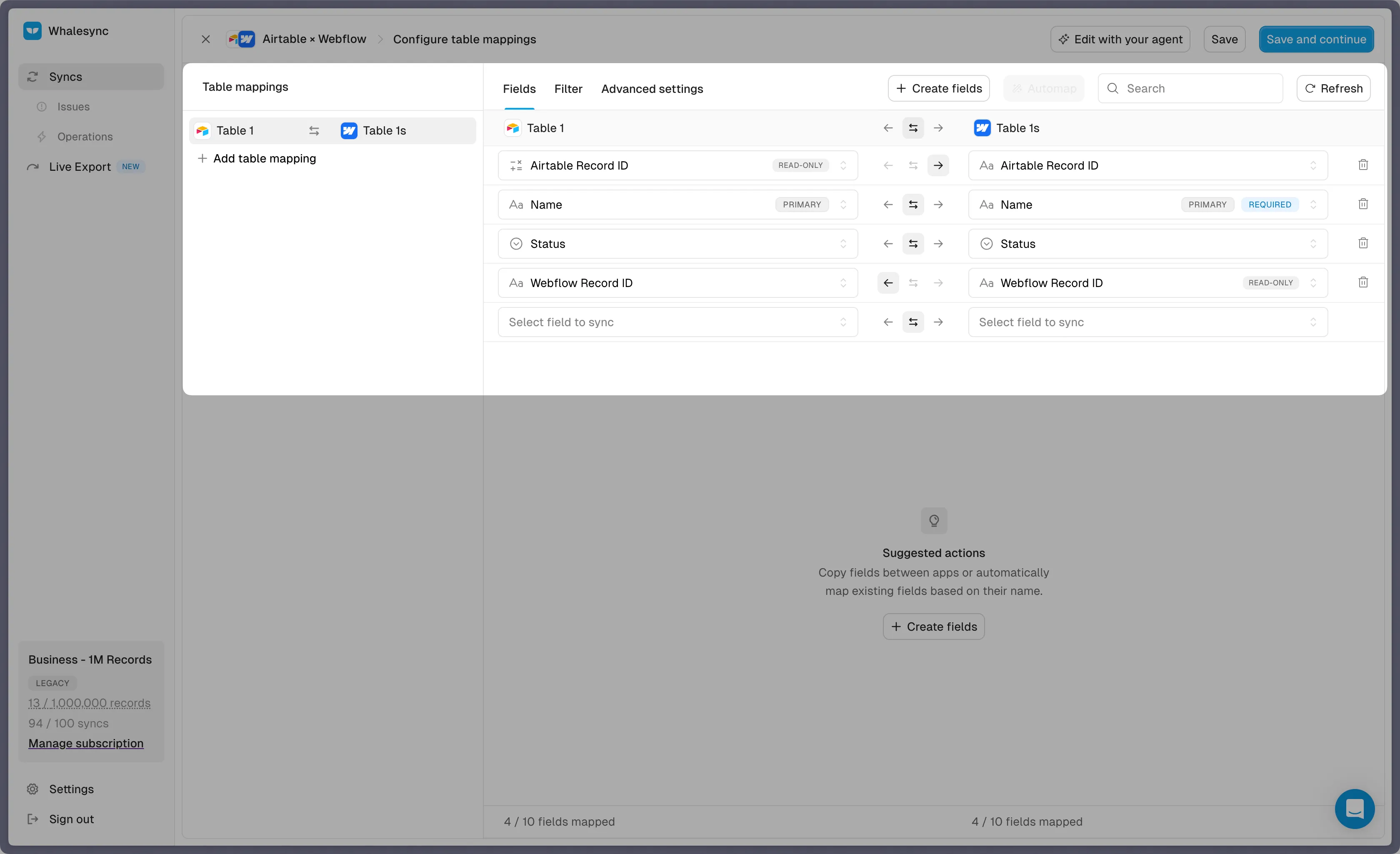
Select the desired table
-
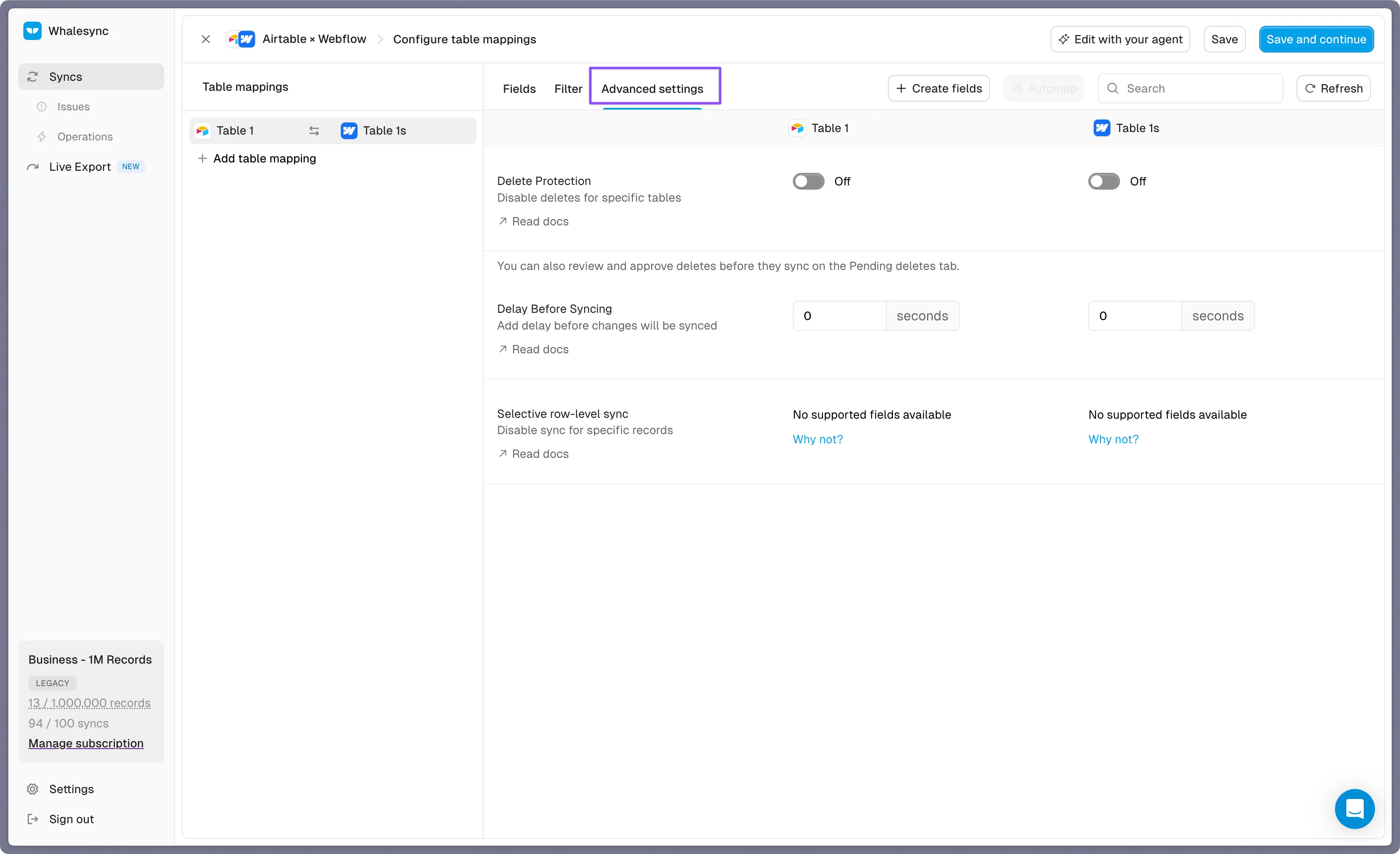
Click the Advanced settings tab
-
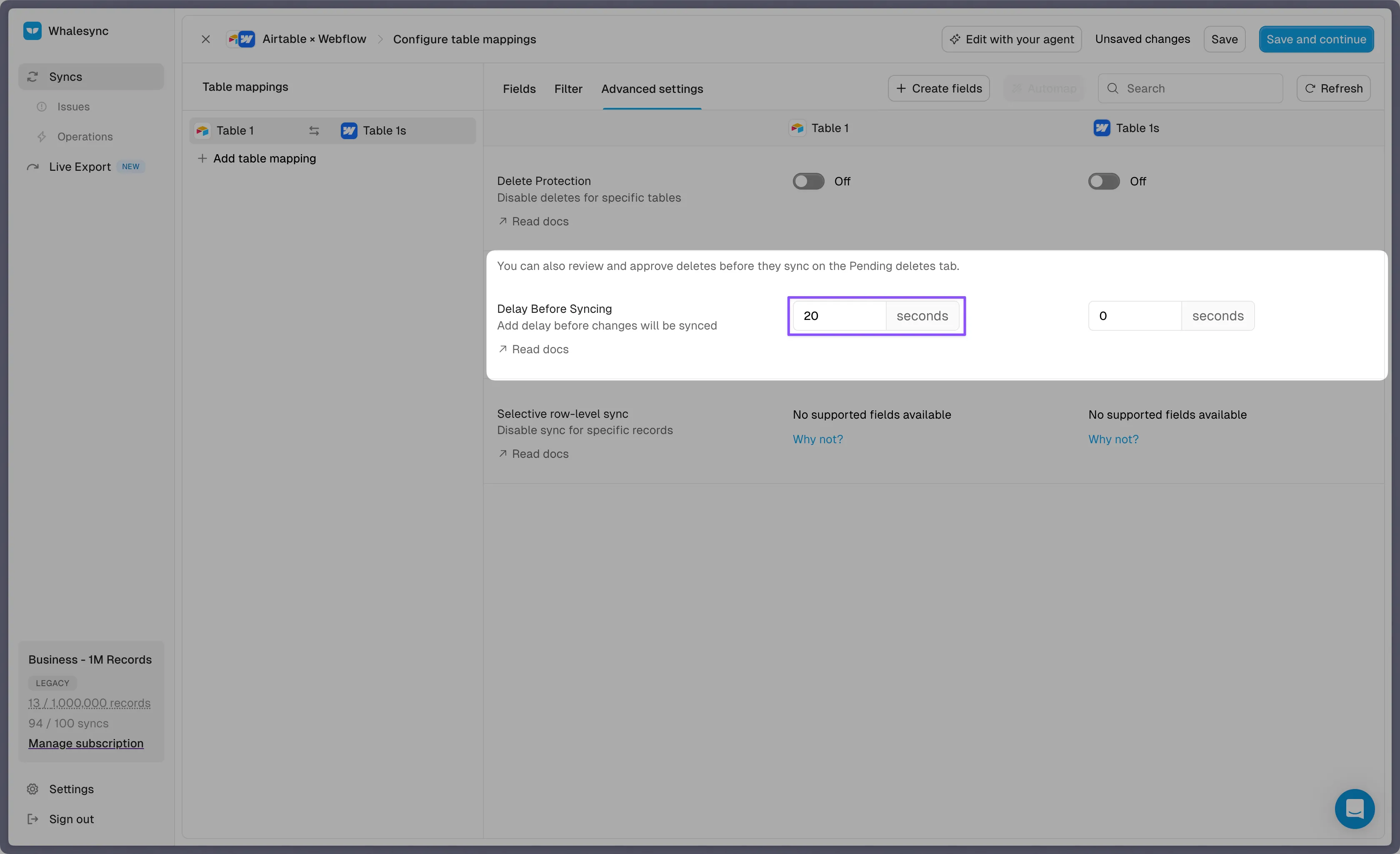
Set the Delay Before Syncing field to your desired number of seconds (0-300)
-
Save changes
Best practices
Section titled “Best practices”- Use delays of 5-30 seconds for frequently updated records
- Avoid delays longer than 60 seconds unless you have specific requirements
- Consider your use case - real-time dashboards may need shorter delays than batch processing workflows