> For the complete documentation index, see [llms.txt](https://docs.whalesync.com/llms.txt). Markdown versions of documentation pages are available by appending `.md` to page URLs; this page is available as [Markdown](https://docs.whalesync.com/connectors/supabase/adding-default-values-to-primary-keys.md).

# Adding default values to primary keys

How to make your primary keys auto-generate values in Supabase

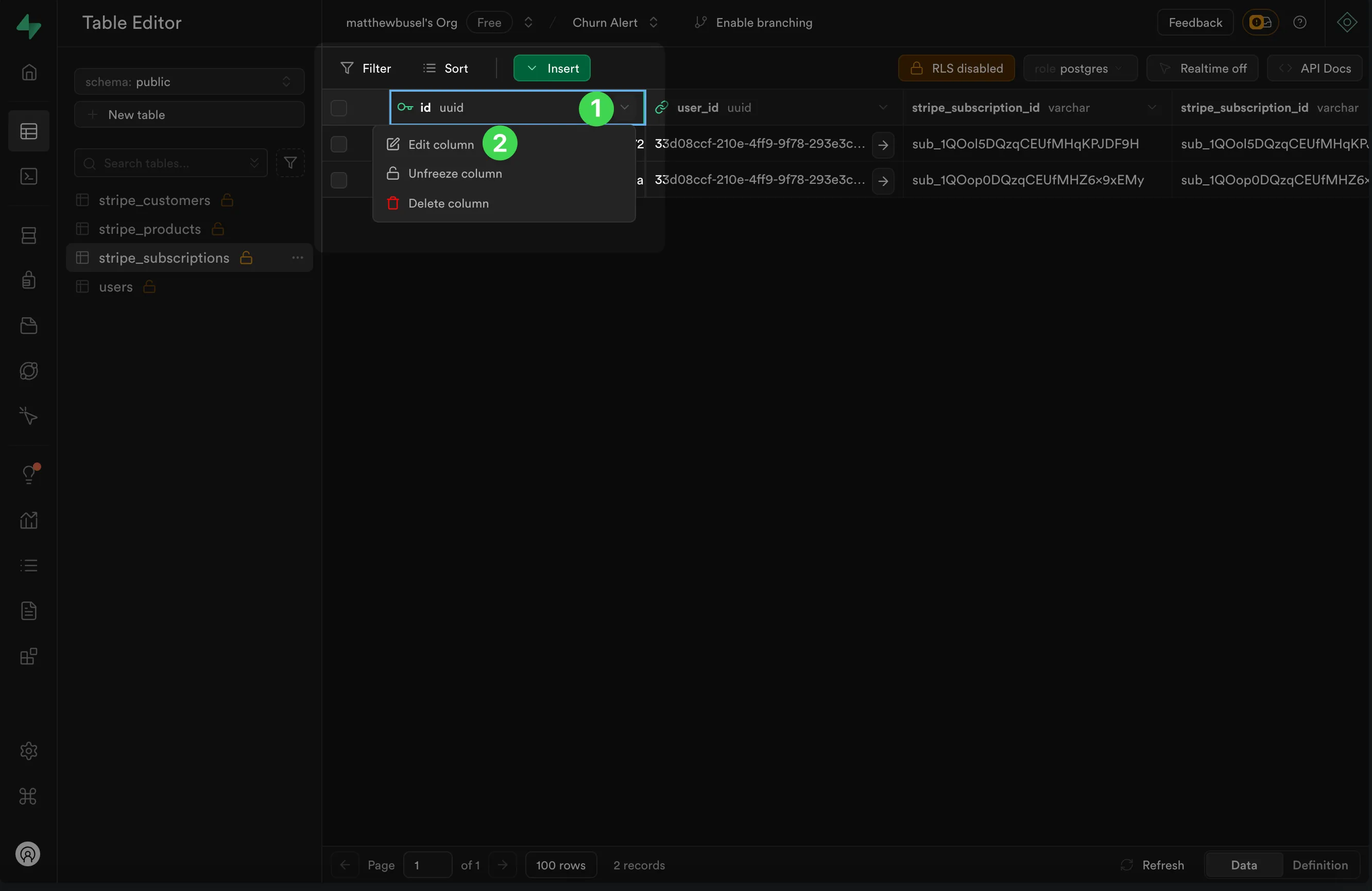
1. Click on the primary key in your table.
2. Click "Edit column"

   <figure><img src="https://2481481593-files.gitbook.io/~/files/v0/b/gitbook-x-prod.appspot.com/o/spaces%2FtLaMDbvbGOow76E8CnqW%2Fuploads%2Fgit-blob-0bb1fdcba8fb9f2e9aed7482d7dc954cfb4cd3b9%2F1.png?alt=media" alt=""><figcaption></figcaption></figure>
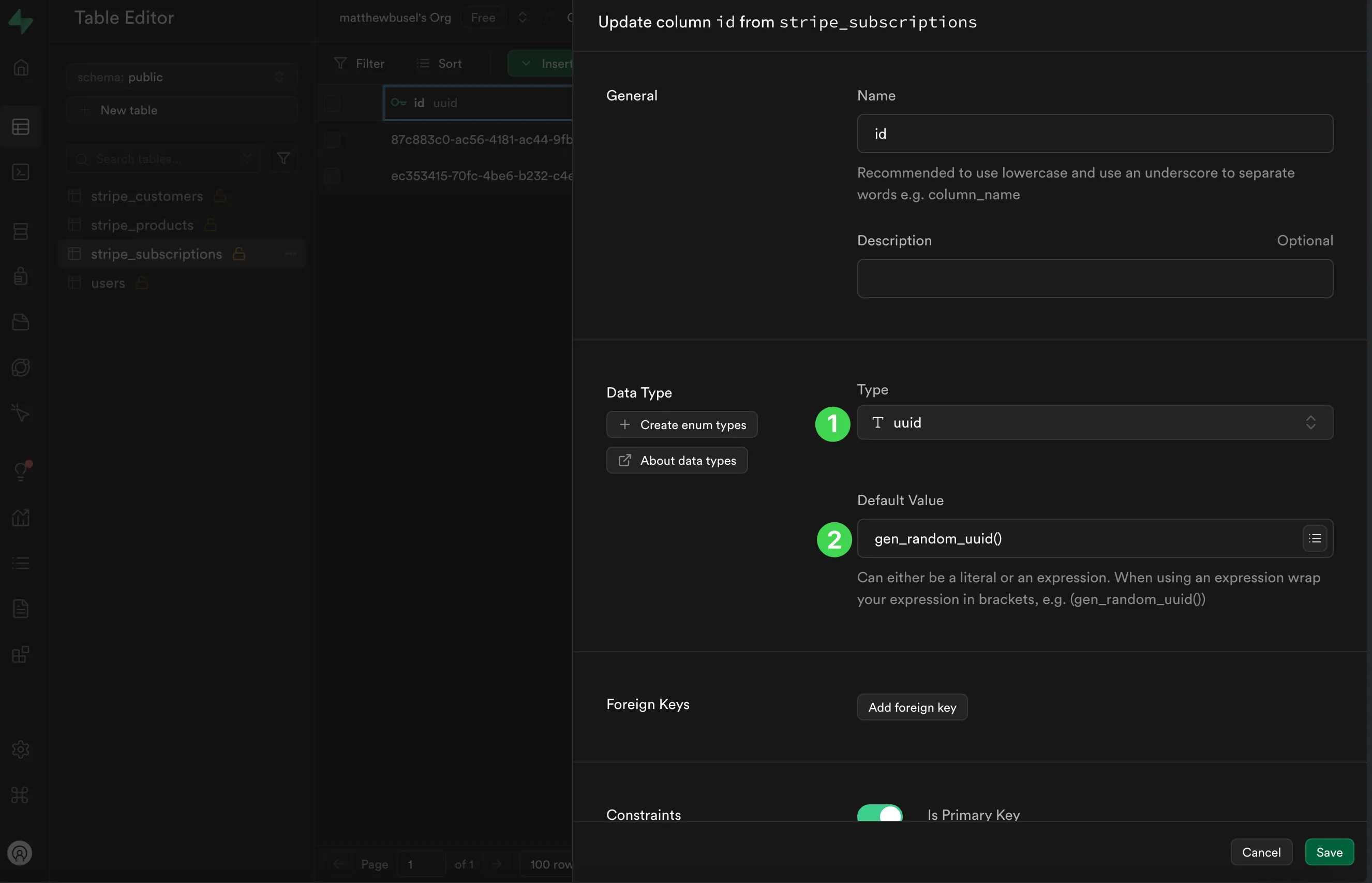
3. Change the column type to uuid
4. Set the Default Value equal to <mark style="color:red;">`gen_random_uuid()`</mark>

   <figure><img src="https://2481481593-files.gitbook.io/~/files/v0/b/gitbook-x-prod.appspot.com/o/spaces%2FtLaMDbvbGOow76E8CnqW%2Fuploads%2Fgit-blob-4d1a553968e808c19f793829e8f5864c5d895391%2F2.png?alt=media" alt=""><figcaption></figcaption></figure>
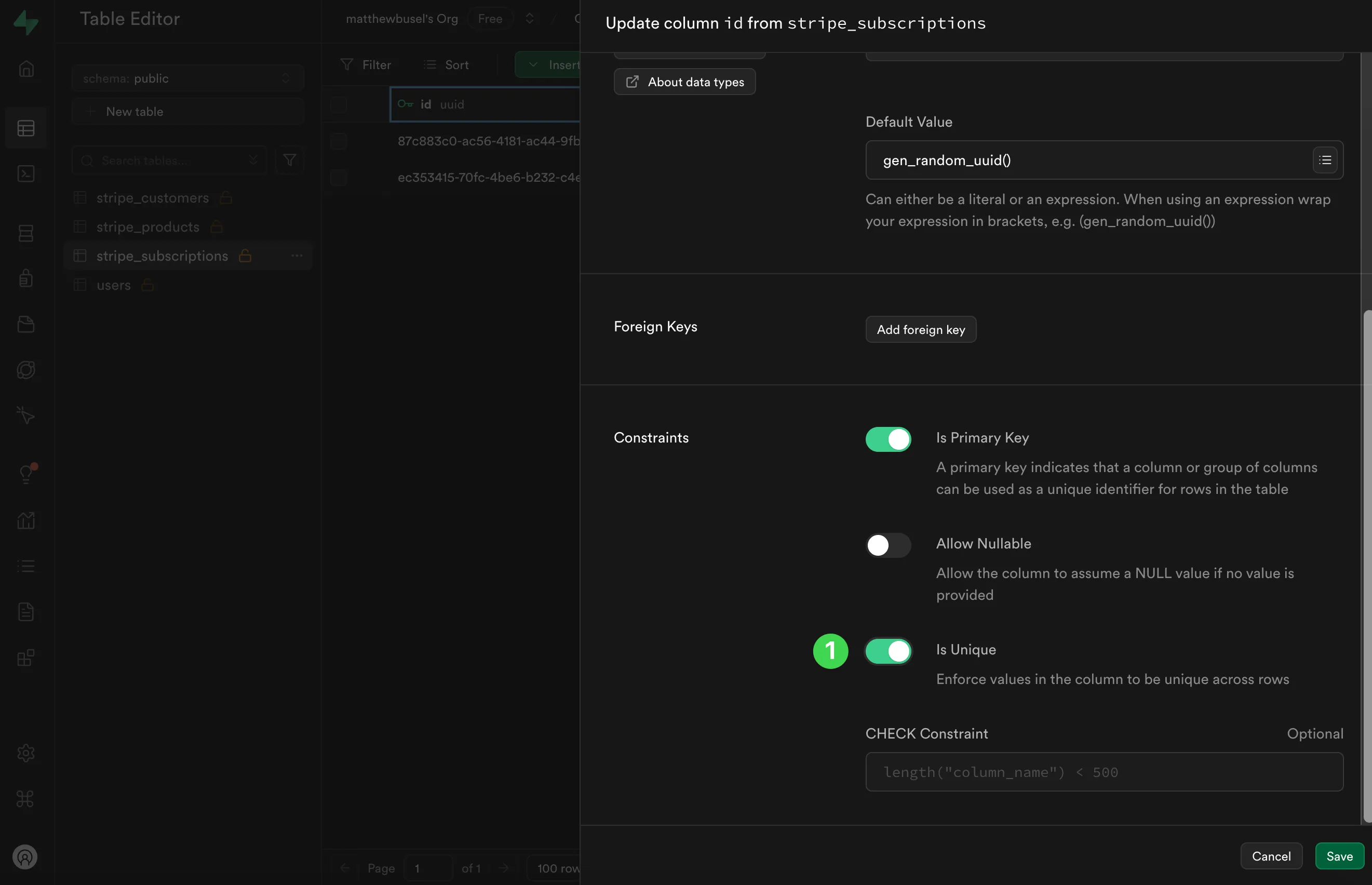
5. Make sure "Is Unique" is toggled on

   <figure><img src="https://2481481593-files.gitbook.io/~/files/v0/b/gitbook-x-prod.appspot.com/o/spaces%2FtLaMDbvbGOow76E8CnqW%2Fuploads%2Fgit-blob-b0e316ec83a425896f0a9a5558c7849620b5eacf%2F3.png?alt=media" alt=""><figcaption></figcaption></figure>