Avoid sort range
Using sort range in Google Sheets can scramble the Whalesync ID column and change your data. Include the Whalesync ID column in any sort range you use.
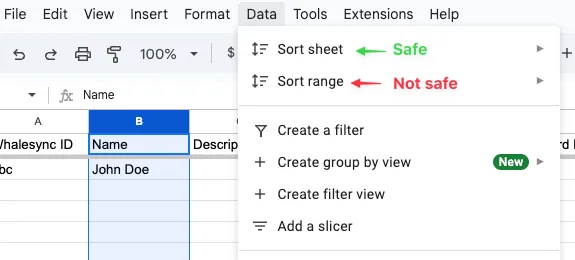
Why to avoid sort range?
Section titled “Why to avoid sort range?”- To sync your data, Whalesync needs an "ID" for each of your records.
- Google Sheets doesn't have a concept of "record IDs", so Whalesync adds one with a
Whalesync IDcolumn - Using "Sort range" can lead to scrambling all the Whalesync IDs in your rows if the Whalesync ID column is not included in the sort.
- This will lead to unintended changes to your data.
How to use sort range safely
- If you must use sort range, be sure to include the Whalesync ID column in your sort range to avoid unintended changes.