How to delete your account
Delete your Whalesync account in Settings after canceling any renewing plan. Data is permanently deleted 30 days later; you can cancel before then.
You can delete your own Whalesync account from your settings. It doesn't happen all at once: your account closes immediately, and everything we hold is permanently deleted 30 days later. You can cancel any time before that date.
Before you start
Section titled “Before you start”If you have a subscription that will charge again, cancel it first. The Delete account button stays disabled until you do. We won't cancel a paid plan for you as a side effect of deleting your account.
Cancel your subscription on the Billing tab, then come back.
Delete your account
Section titled “Delete your account”-
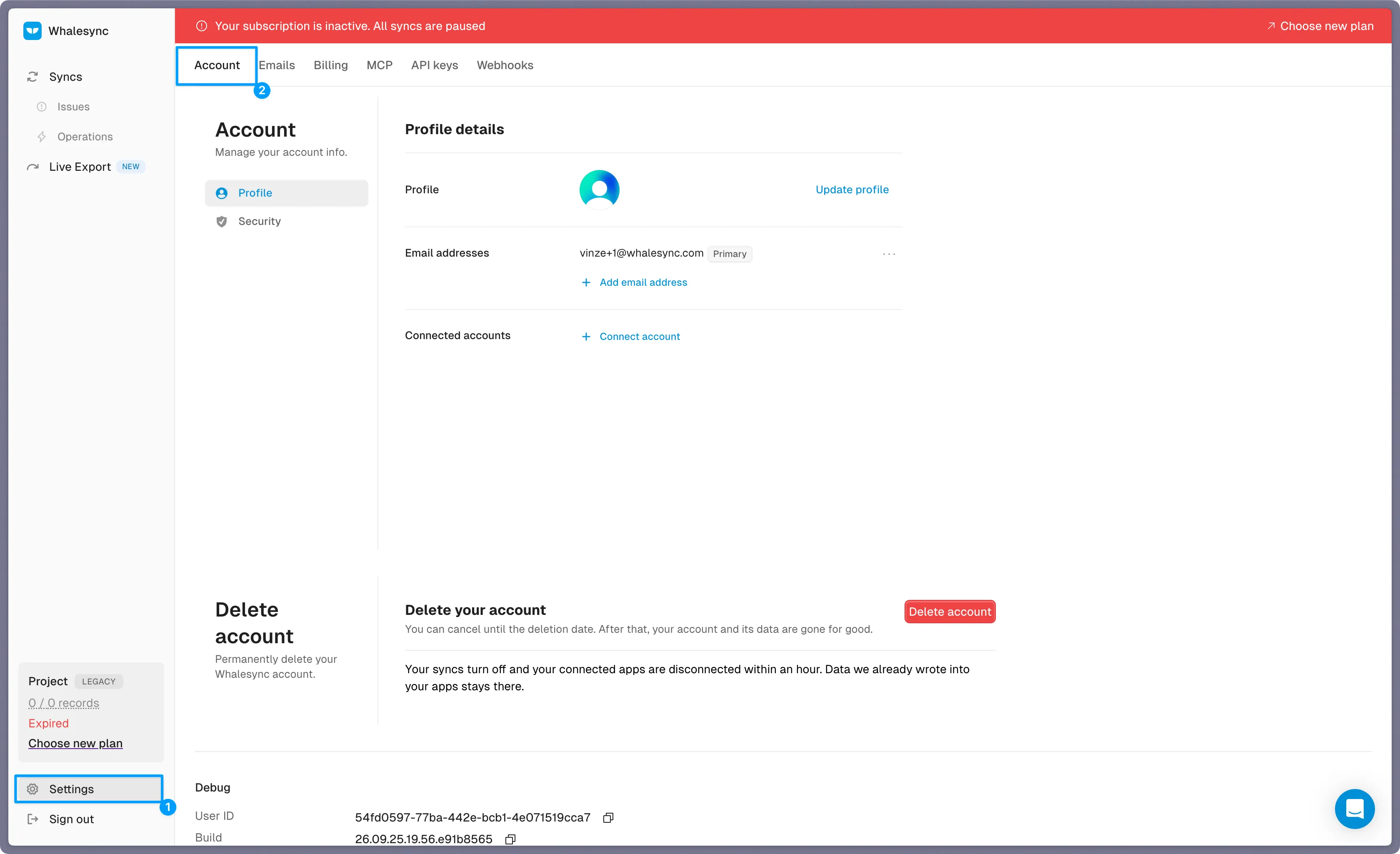
Go to Settings > Account
-
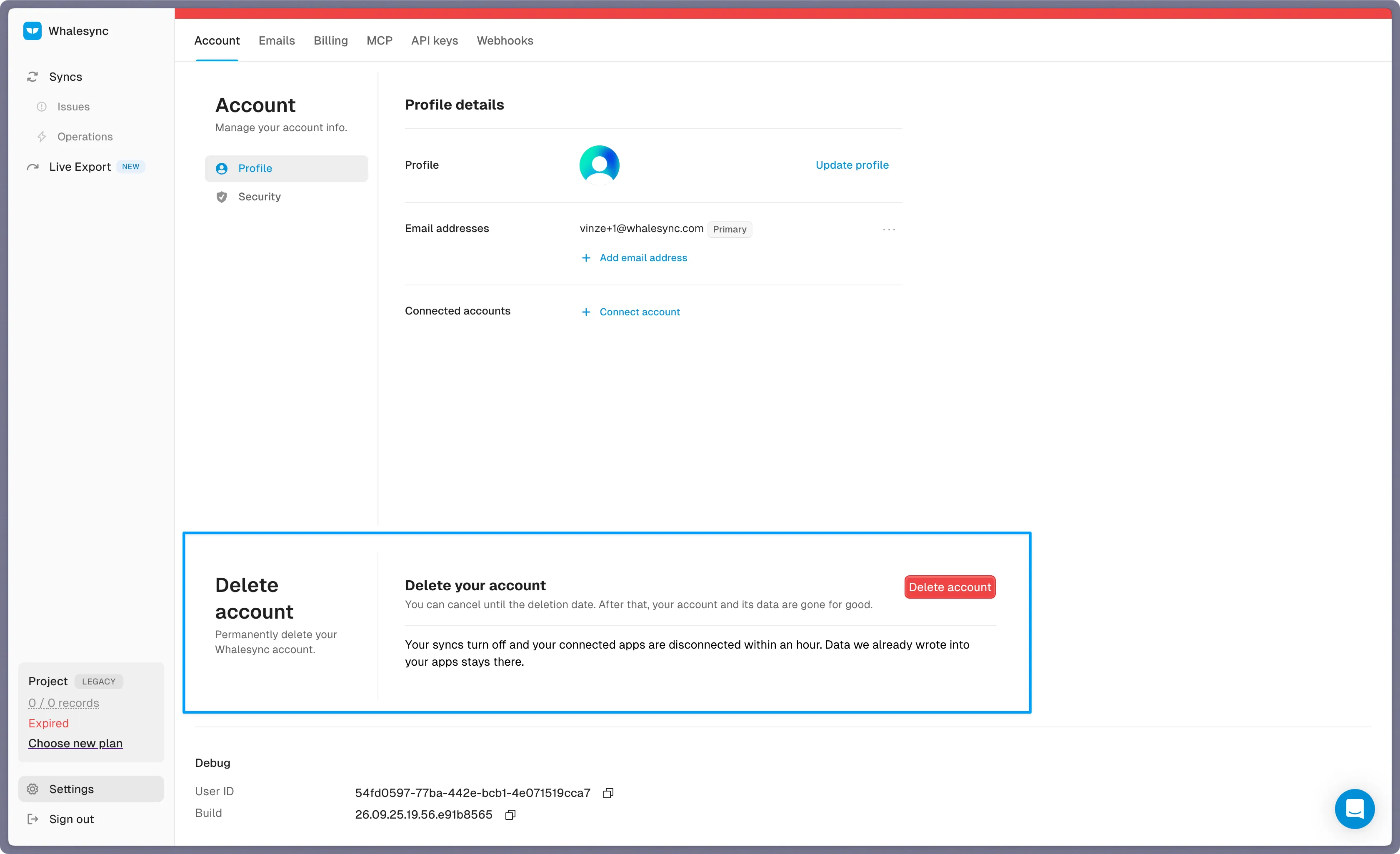
Scroll to the Delete account card
-
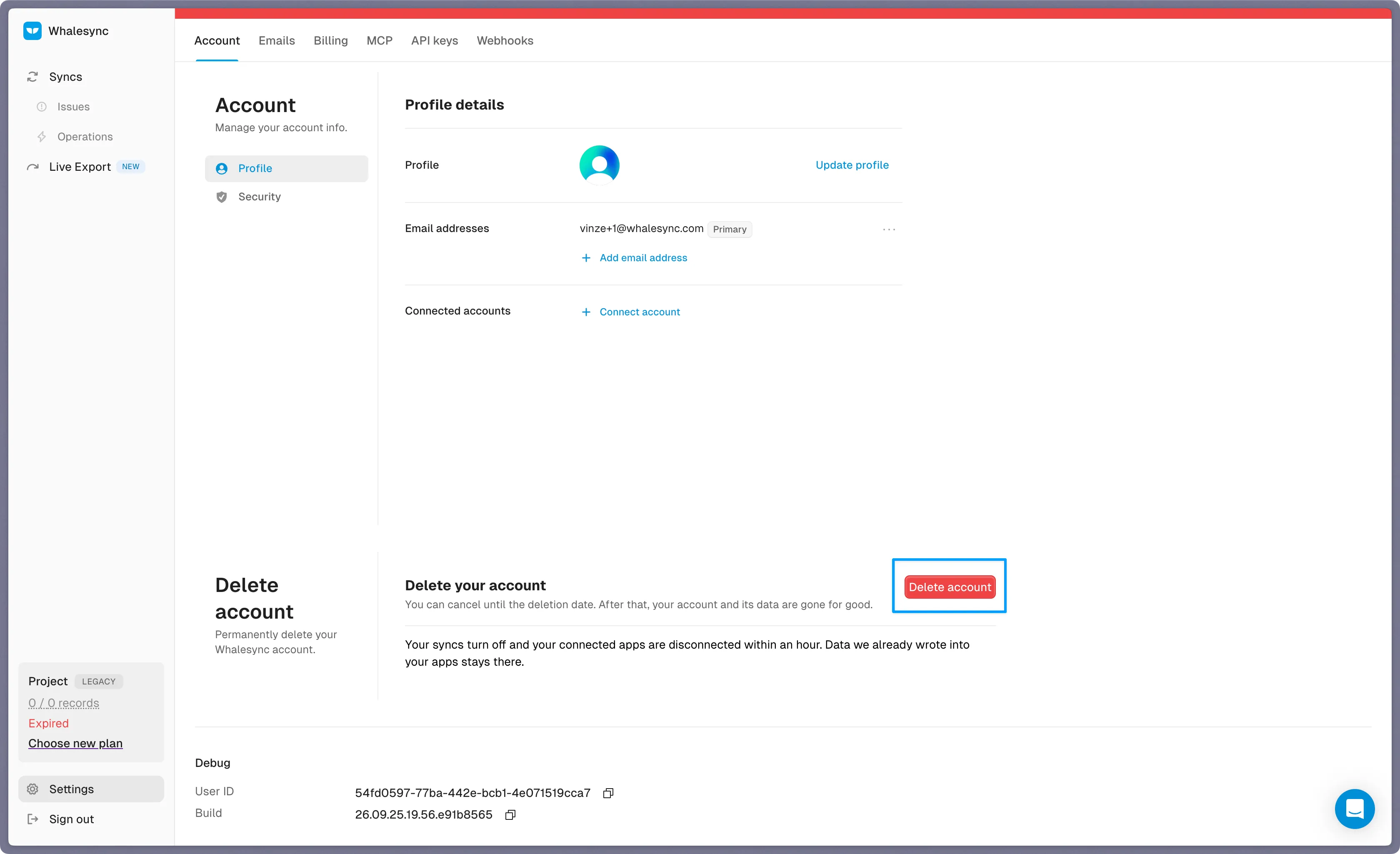
Click Delete account
-
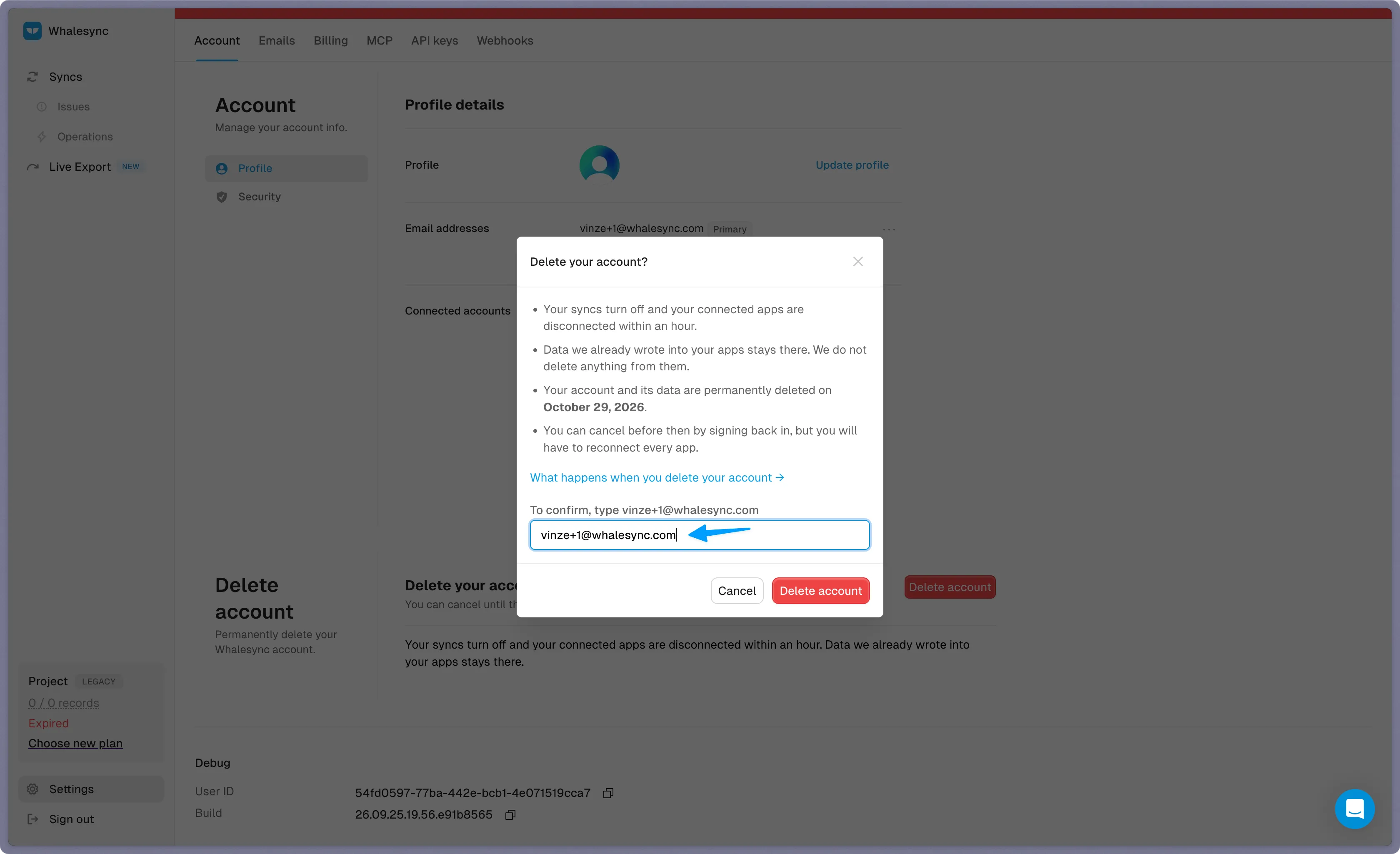
Read what the dialog tells you, then type your account email to confirm
-
Click Delete account
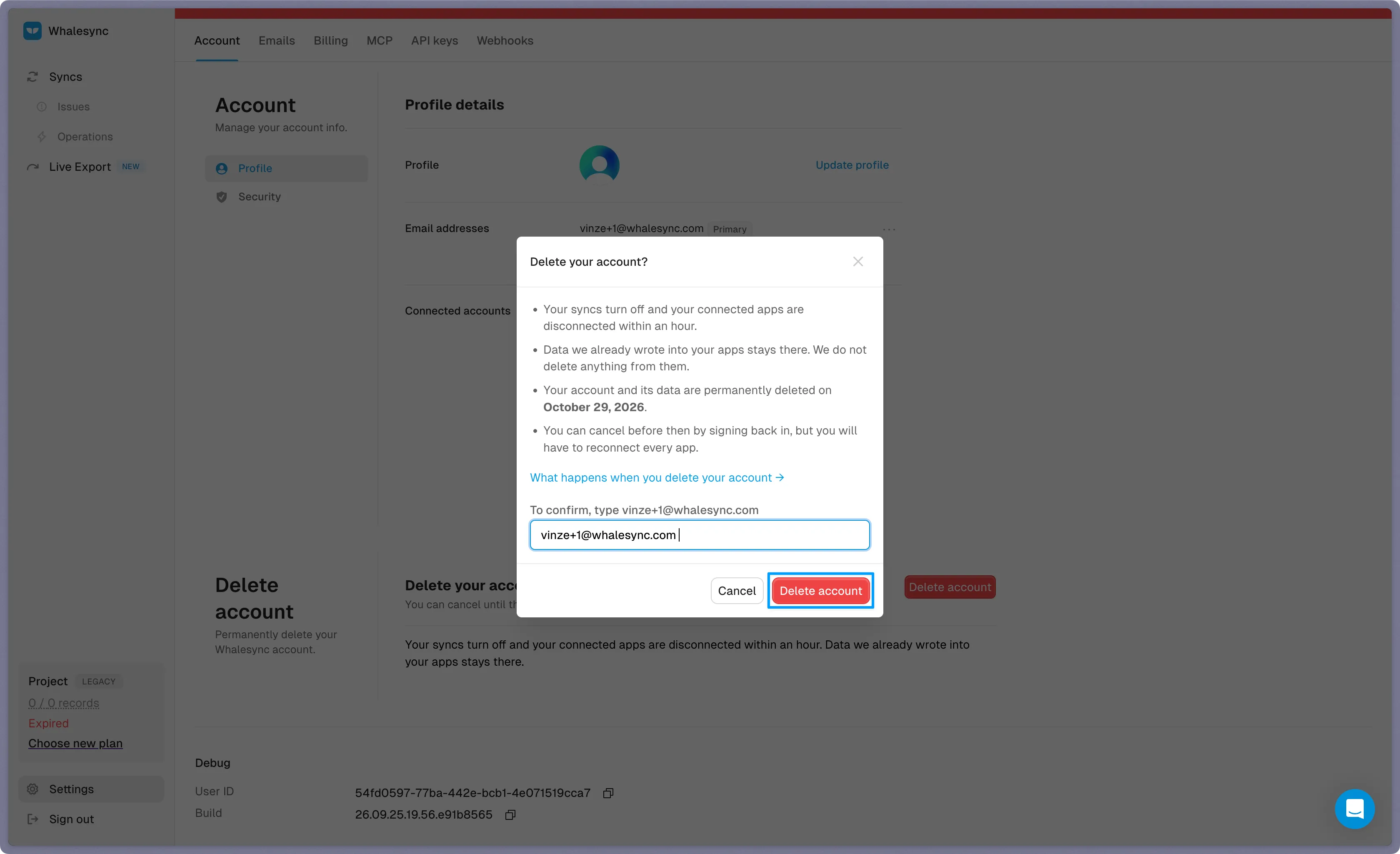
You'll be signed out right away, and we'll email you a confirmation naming the exact date your data will be deleted.
What happens, and when
Section titled “What happens, and when”| When | What happens |
|---|---|
| Right away | Your account closes. Your API token and every public API key are revoked, and you're signed out everywhere. Signing back in shows a page telling you the account is being deleted, and the rest of the app is closed to you. |
| Within an hour | Every sync is turned off, and we destroy our copy of the credentials for every app you connected. |
| 30 days after your request | Your account and everything in it is permanently deleted, including your bases, syncs, records, personal information, and your Whalesync login. |
The dialog and the confirmation email both name your exact deletion date, and so does the page you see if you sign back in.
What we don't delete
Section titled “What we don't delete”- Data in your connected apps. Records Whalesync wrote into Airtable, Notion, Webflow, or anywhere else stay exactly where they are. We never delete anything from the apps you connected. If you want those records gone, delete them in that app.
- Whalesync's access from the app's side. We destroy our copy of your credentials, but revoking the connection at the source is done in each app's own settings. Look there for connected apps, integrations, or authorized applications.
- Your invoices. Billing records live in Stripe and we keep them, because we're required to retain financial records.
- Security logs. We keep a record of actions taken on the account as a security record.
- Signed agreements. If you signed our Data Processing Agreement, we keep the signed copy and the record of who signed it and when, since it's evidence of the agreement for both of us.
Need help?
Section titled “Need help?”If the Delete account button isn't doing what you expect, feel free to email us and we'll be happy to help!