# Theme Template field

{% hint style="warning" %}
**Archived:** This connector is no longer offered by Whalesync. Existing syncs will continue to run, but future improvements and support will be limited. See [Previous Connectors](https://docs.whalesync.com/previous-connectors) for more details.
{% endhint %}

## Theme Template field

**TL;DR**

* Shopify's Theme Template field works with 2-way sync BUT you must enter in the value exactly in your connected app

**Detailed Explanation**

Whalesync supports two-way sync of Shopify's Theme Template as shown below:
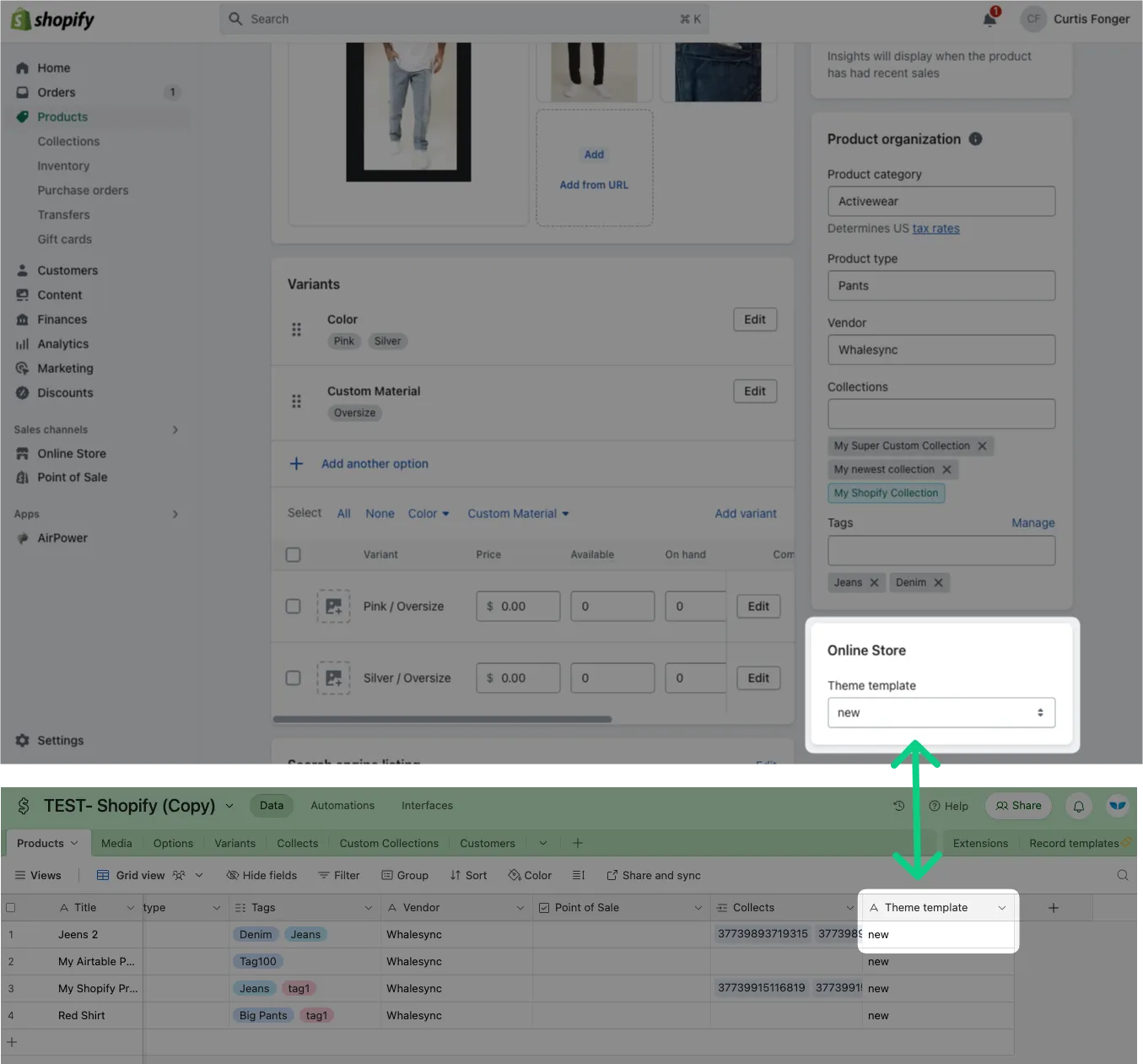
<figure><img src="https://2481481593-files.gitbook.io/~/files/v0/b/gitbook-x-prod.appspot.com/o/spaces%2FtLaMDbvbGOow76E8CnqW%2Fuploads%2FFBfPhpqyrmy7BYOCxaqL%2FTheme%20Template.png?alt=media&#x26;token=302f19b0-efc9-4a74-8f47-ba6b27f1e559" alt=""><figcaption><p>Theme Template in Shopify maps to a Theme Template field in Airtable (or your other connected app)</p></figcaption></figure>

But if you update Theme template in Airtable, you must make sure to input the exact value for a theme that is available in Shopify. If you enter in a value incorrectly, nothing will happen:
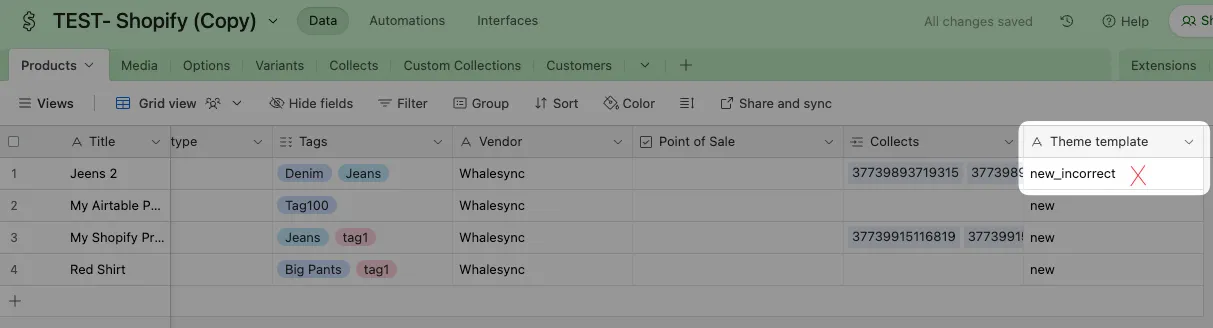
<figure><img src="https://2481481593-files.gitbook.io/~/files/v0/b/gitbook-x-prod.appspot.com/o/spaces%2FtLaMDbvbGOow76E8CnqW%2Fuploads%2FRxJWfmBvkKfb7uwJ0CPp%2FTheme%20Template%20Incorrect.png?alt=media&#x26;token=fa13b338-ef63-4dec-ac55-a73c582b0517" alt=""><figcaption><p>Example of entering in an incorrect value for Theme Template</p></figcaption></figure>
