Connect with a personal access token
Connect Airtable with a personal access token instead of signing in. The seven scopes and base access the token needs, and how to fix token errors.
Signing in to Airtable is the default way to connect it to Whalesync. A personal access token is an alternative if you run many syncs, prefer not to sign in, or are setting up a sync through the API or MCP server and need a credential to hand over.
A token differs from signing in in four ways:
- Airtable limits how many times one account can authorize Whalesync by signing in. Each sync uses one authorization, so accounts with many syncs hit the limit. A token can back any number of syncs.
- It does not expire.
- It reaches only the bases you add to it in Airtable.
- It can be pasted into the API or given to an agent. A sign-in has to happen in a browser.
Create the token
Section titled “Create the token”- Go to airtable.com/create/tokens and click Create new token.
- Name it
Whalesync. - Add every scope listed below.
- Under Access, add every base you will sync, or the whole workspace.
- Click Create token and copy it. Airtable shows it only once.
Scopes
Section titled “Scopes”All seven scopes are required.
| Scope | Why Whalesync needs it |
|---|---|
data.records:read |
Read records from your tables. |
data.records:write |
Create, update, and delete records during sync. |
data.recordComments:read |
Read record comments. |
data.recordComments:write |
Write record comments. |
schema.bases:read |
Read the tables and fields in your bases. |
schema.bases:write |
Create tables and fields in Airtable when you ask for them. |
webhook:manage |
Register webhooks so changes in Airtable sync right away. |
Access
Section titled “Access”A base left off the token does not appear in Whalesync's base picker. Reauthorizing with a token that misses a base the connection already syncs is refused.
If you expect to add bases later, give the token access to the whole workspace.
Paste the token into Whalesync
Section titled “Paste the token into Whalesync”- In the connect step, choose Use a personal access token instead.
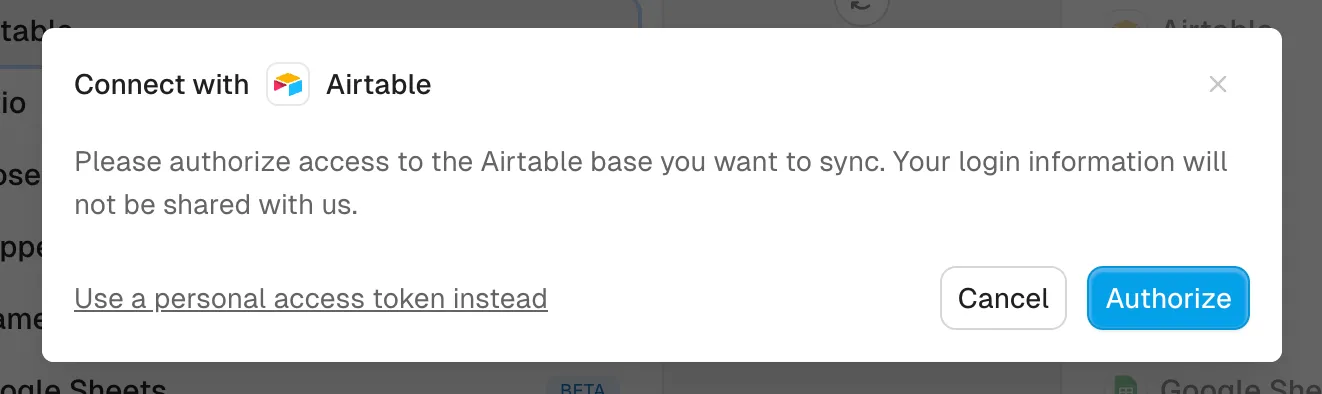
- Paste the token and click Authorize.
- Pick the base to sync.
A connection keeps its method. To switch between token and sign-in, create a new connection.
Errors
Section titled “Errors”| Message | What to do |
|---|---|
| Airtable did not accept this personal access token | The token was copied wrong or revoked. Copy it again, or create a new one. |
| This token is missing a scope Whalesync needs | Create a new token with all seven scopes above. Scopes can't be added to an existing token. |
| This token does not have access to a base this connection syncs | In Airtable, edit the token and add the missing base under Access. |
Revoking the token
Section titled “Revoking the token”Deleting the token in Airtable stops every sync using it until you reconnect with a new token.