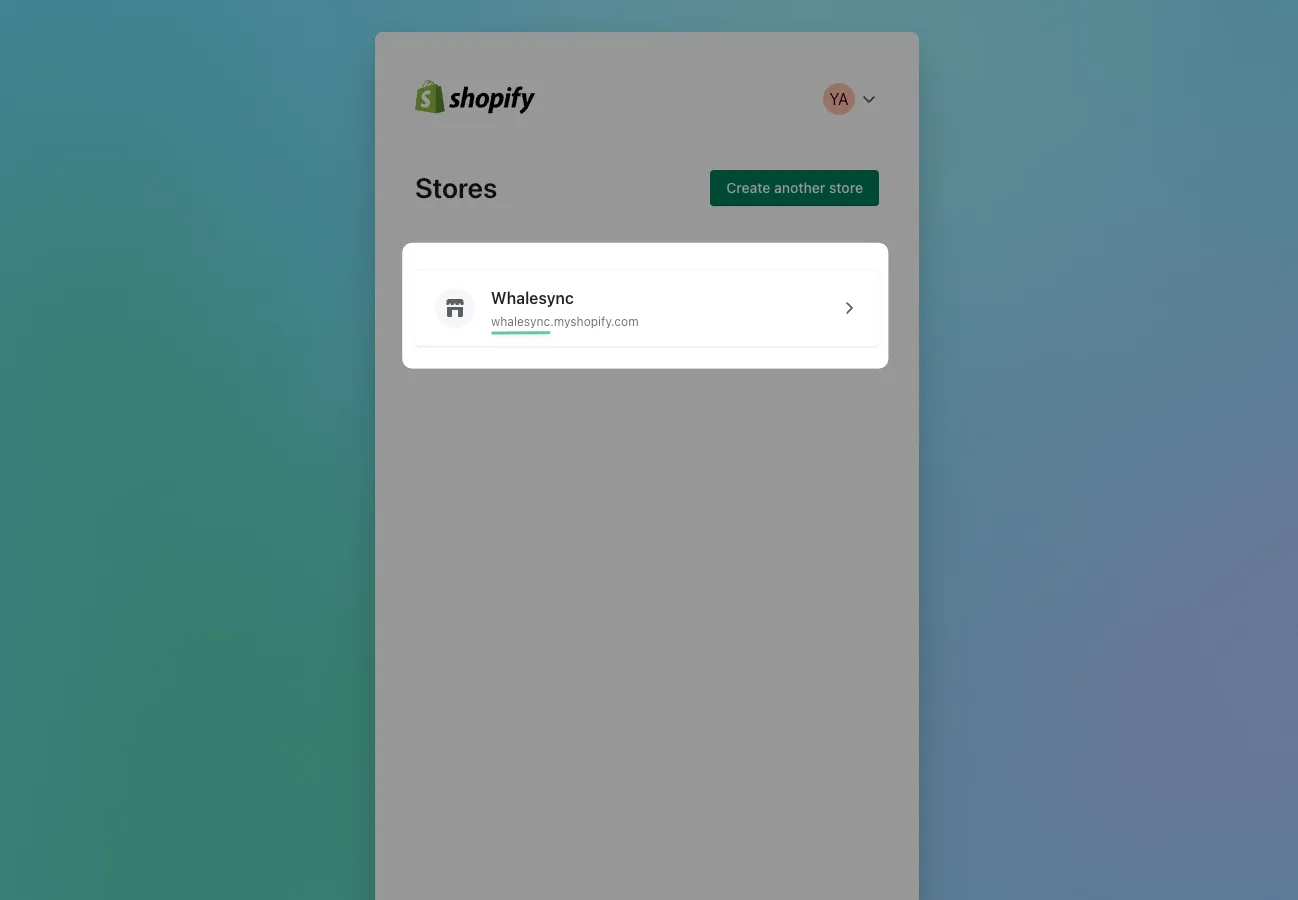
Authorize Shopify
Create a Shopify custom app and Admin API access token to connect Shopify to Whalesync. The Shopify connector is no longer offered.
Authorize Shopify
Section titled “Authorize Shopify”How to get your access token
Section titled “How to get your access token”1. Go to App and sales channel settings
Section titled “1. Go to App and sales channel settings”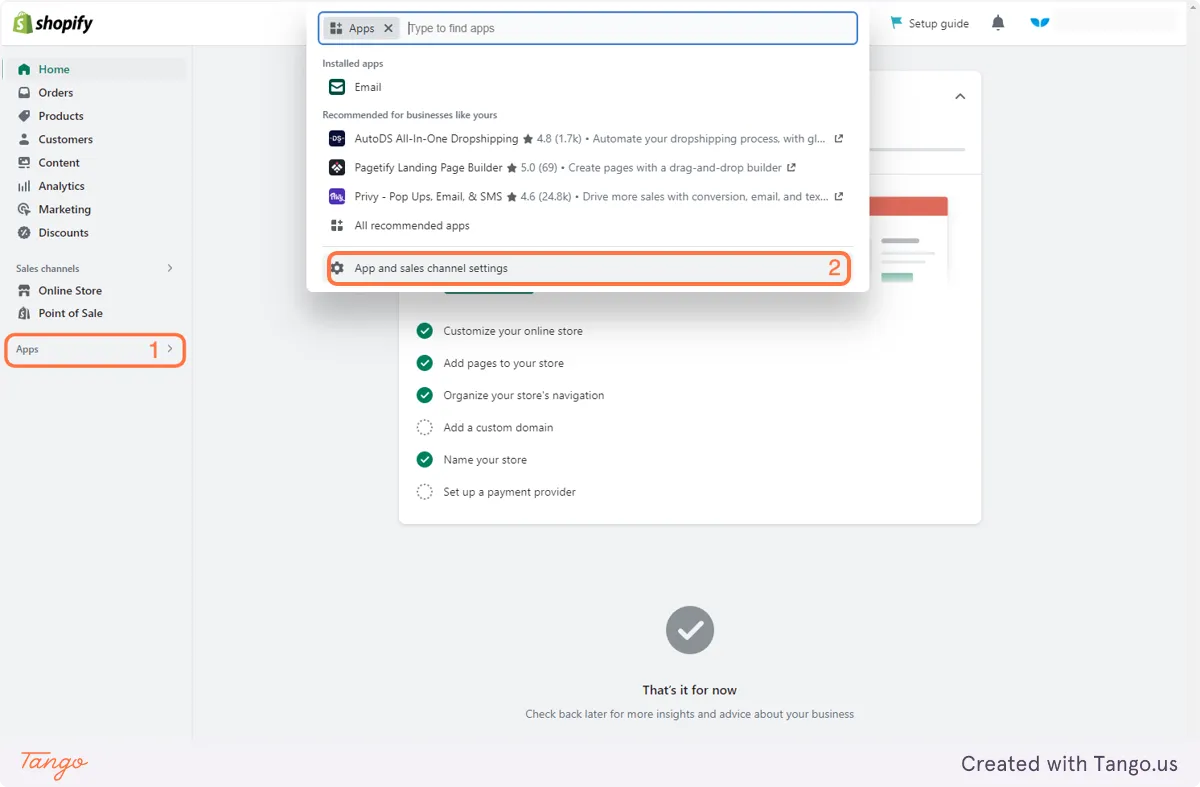
2. Click on Develop apps
Section titled “2. Click on Develop apps”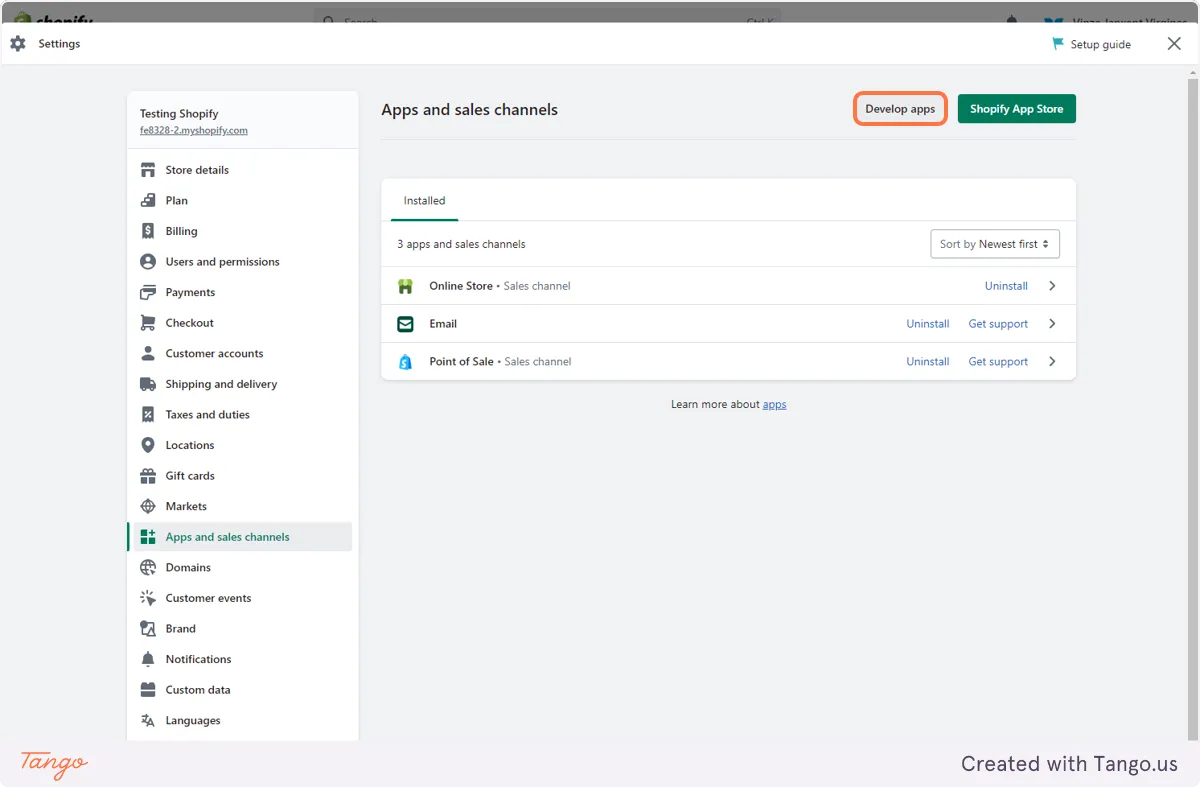
3. Create your app
Section titled “3. Create your app”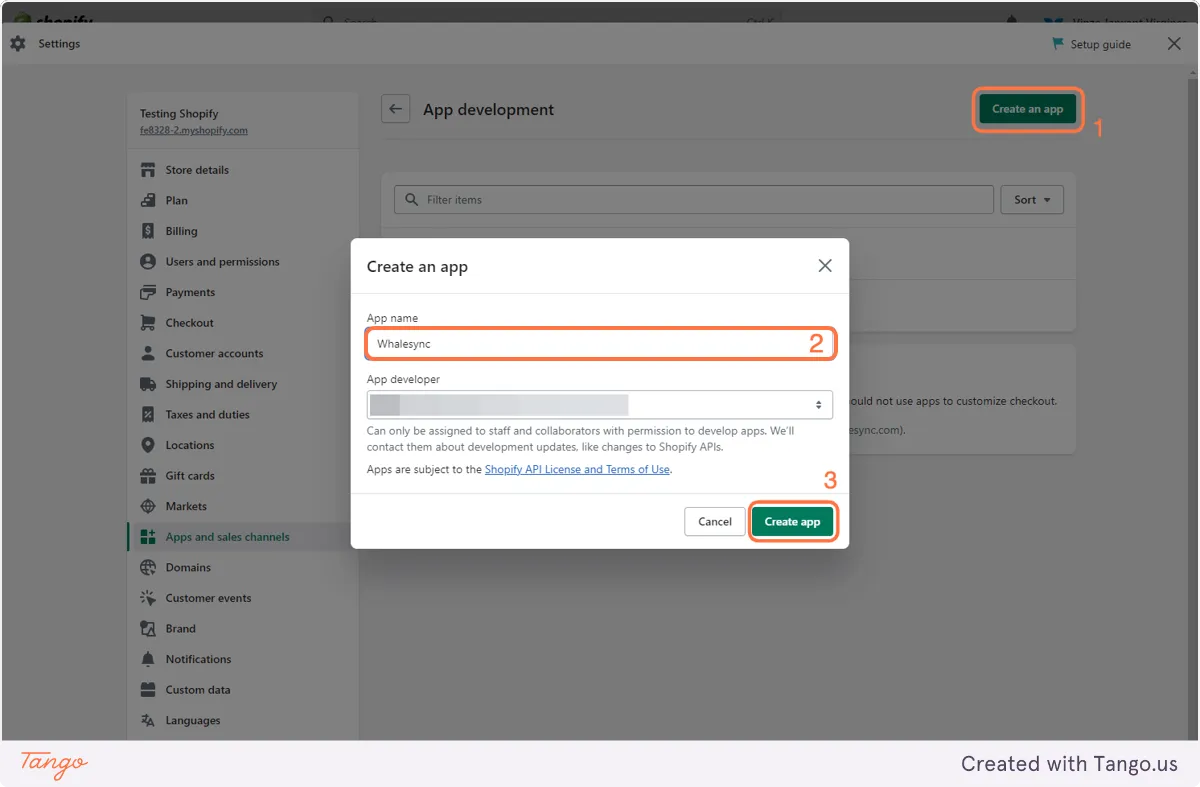
4. Configure Admin API scopes
Section titled “4. Configure Admin API scopes”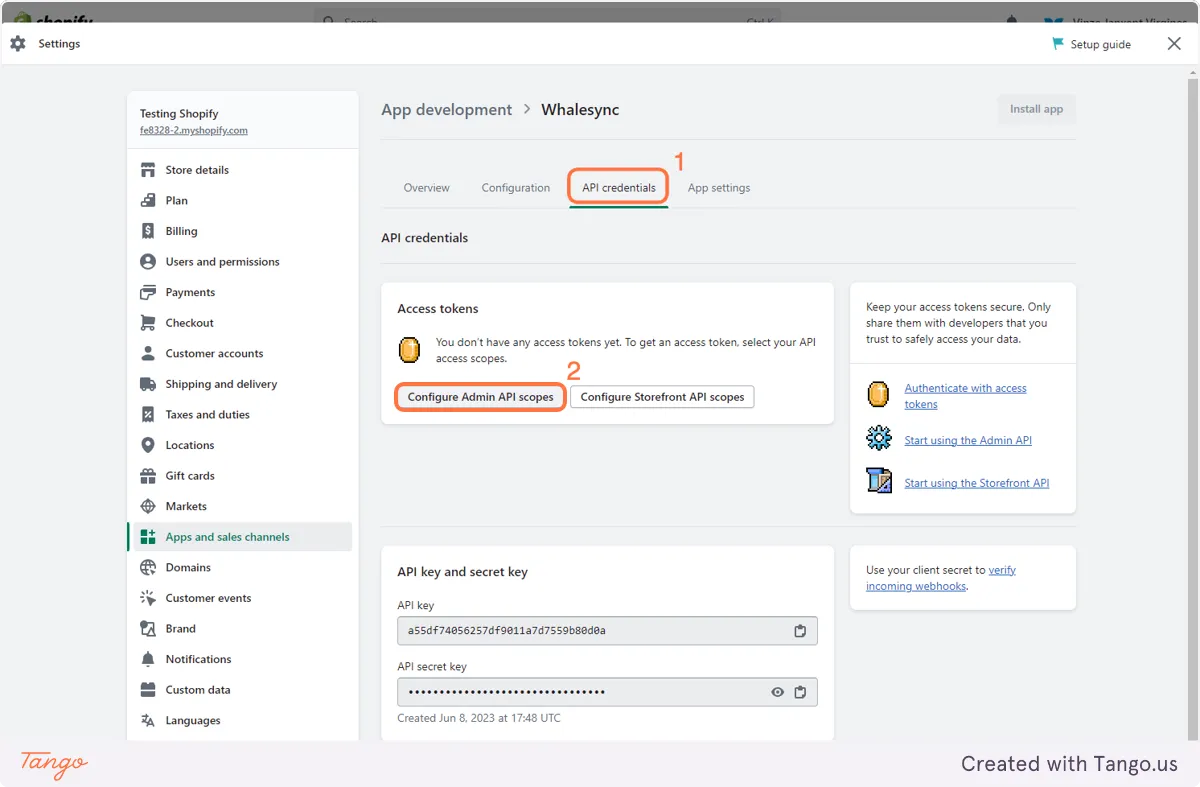
5. Make sure to check read and write products
Section titled “5. Make sure to check read and write products”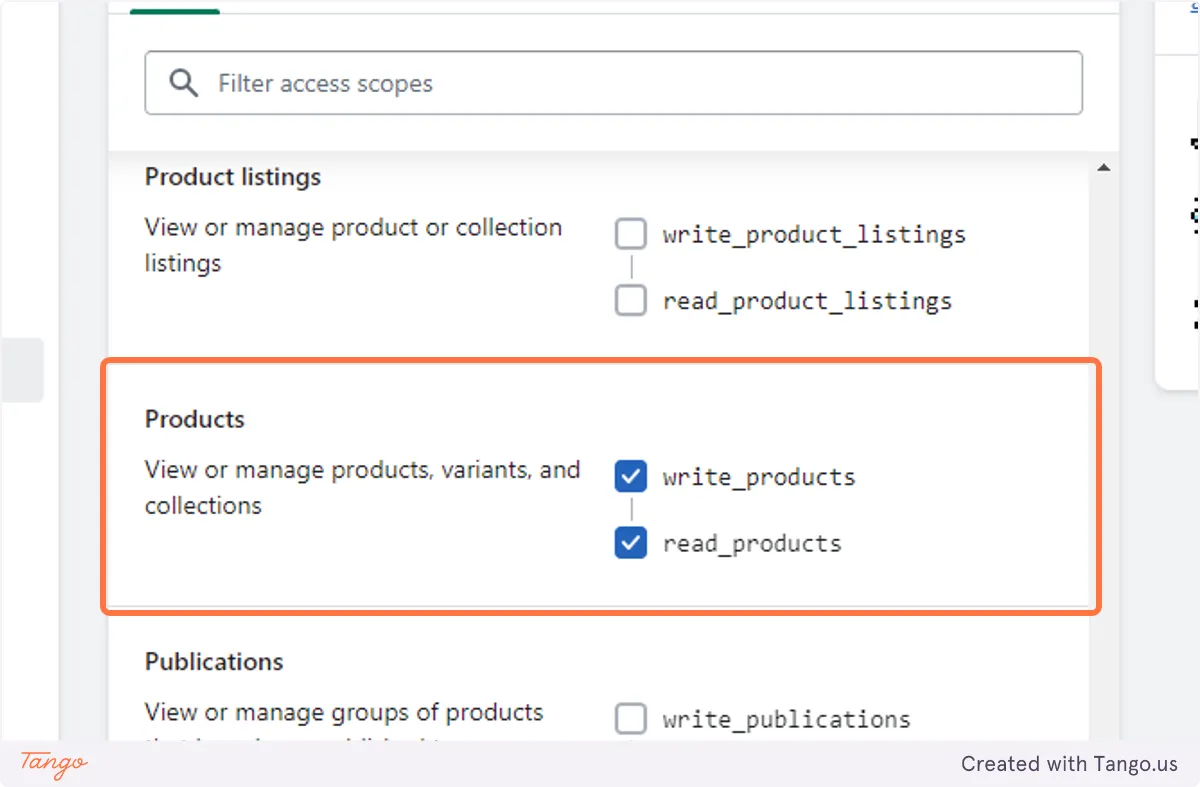
6. Install your app
Section titled “6. Install your app”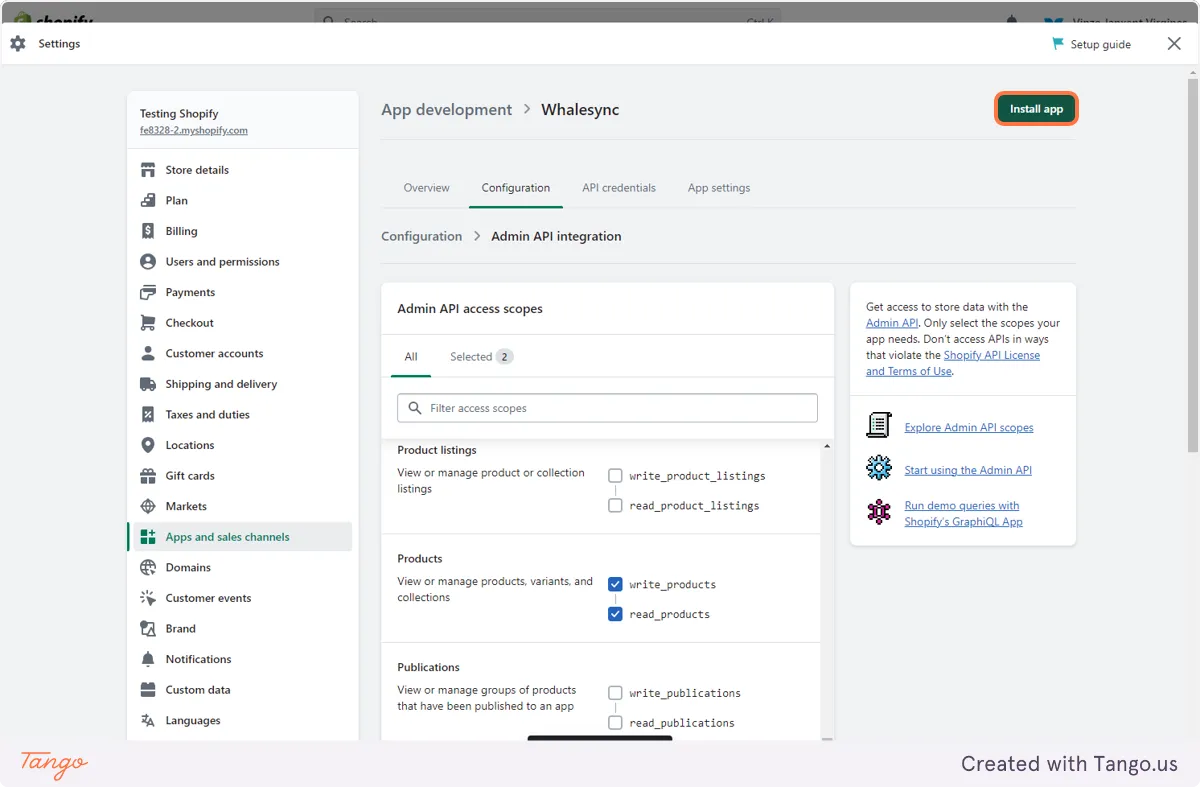
7. Copy your Access token!
Section titled “7. Copy your Access token!”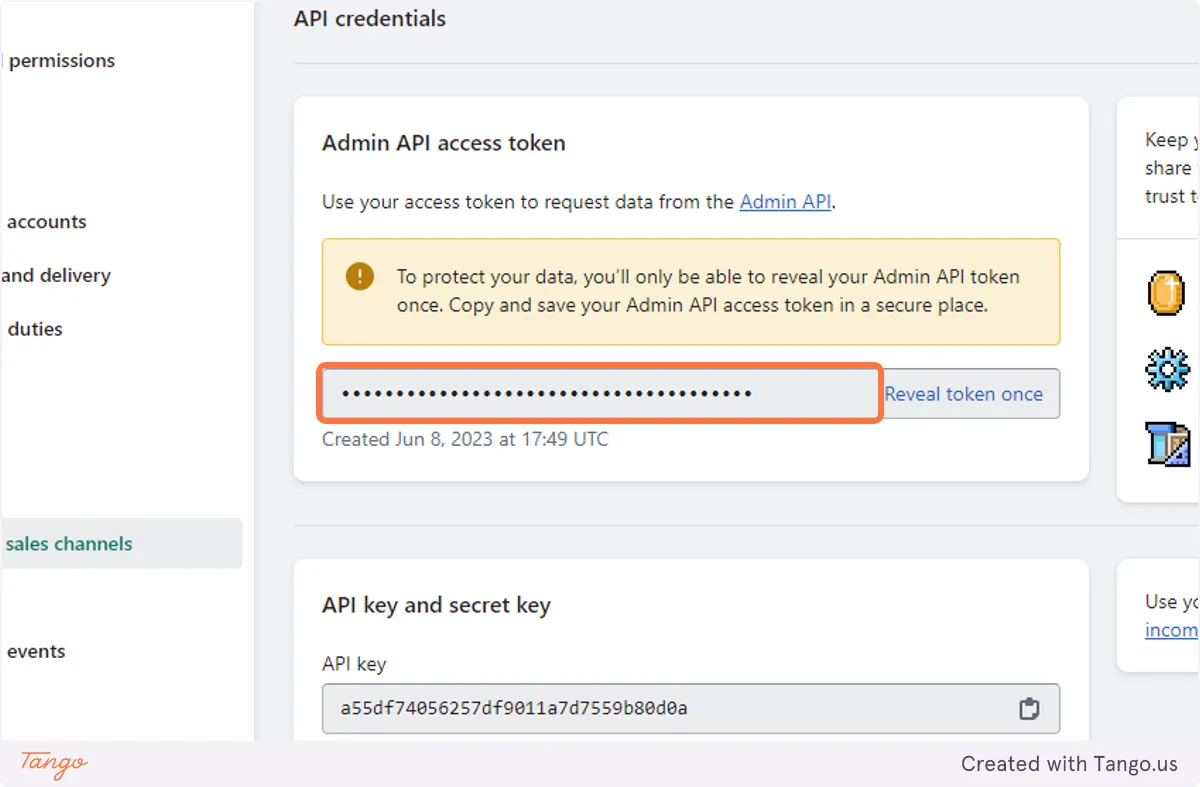
How to get your store name
Section titled “How to get your store name”1) Go to https://admin.shopify.com
2) Copy the values before ".myshopify.com"
e.g. our store name = "whalesync"