Delete approval queue
Hold deletes in a Pending deletes queue so you can approve or ignore them before Whalesync syncs them to your destination, or auto-approve all deletes.
When a record disappears from your source app, Whalesync normally syncs that delete to your destination right away. The delete approval queue adds a safety step: instead of deleting immediately, Whalesync holds the delete in a queue for you to review.
This protects against accidental data loss caused by API outages, pagination bugs, or temporary connector issues. These are situations where records look "missing" but actually still exist.
When to use it
Section titled “When to use it”Use the delete approval queue if you're syncing data where an unintended delete would be costly to recover from. Some examples include CRM contacts, customer records, content libraries, or anything where a connector hiccup propagating to your destination would mean restoring from backup.
If you'd rather have deletes flow through immediately and accept the trade-off, you can opt-in to auto-accept all deletes and bypass the queue.
How it works
Section titled “How it works”- Whalesync detects that a record is missing from your source app
- Instead of deleting the matching record in your destination, Whalesync flags it as pending delete and stops there
- The pending delete shows up in your sync's Pending deletes tab and on the dashboard sync list
- You decide whether to approve it (sync the delete to the destination) or ignore it (leave it alone)
If a "missing" record reappears in your source app on a future record scan, Whalesync removes the record from the queue automatically. You don't have to do anything.
How to bypass the delete approval queue
Section titled “How to bypass the delete approval queue”-
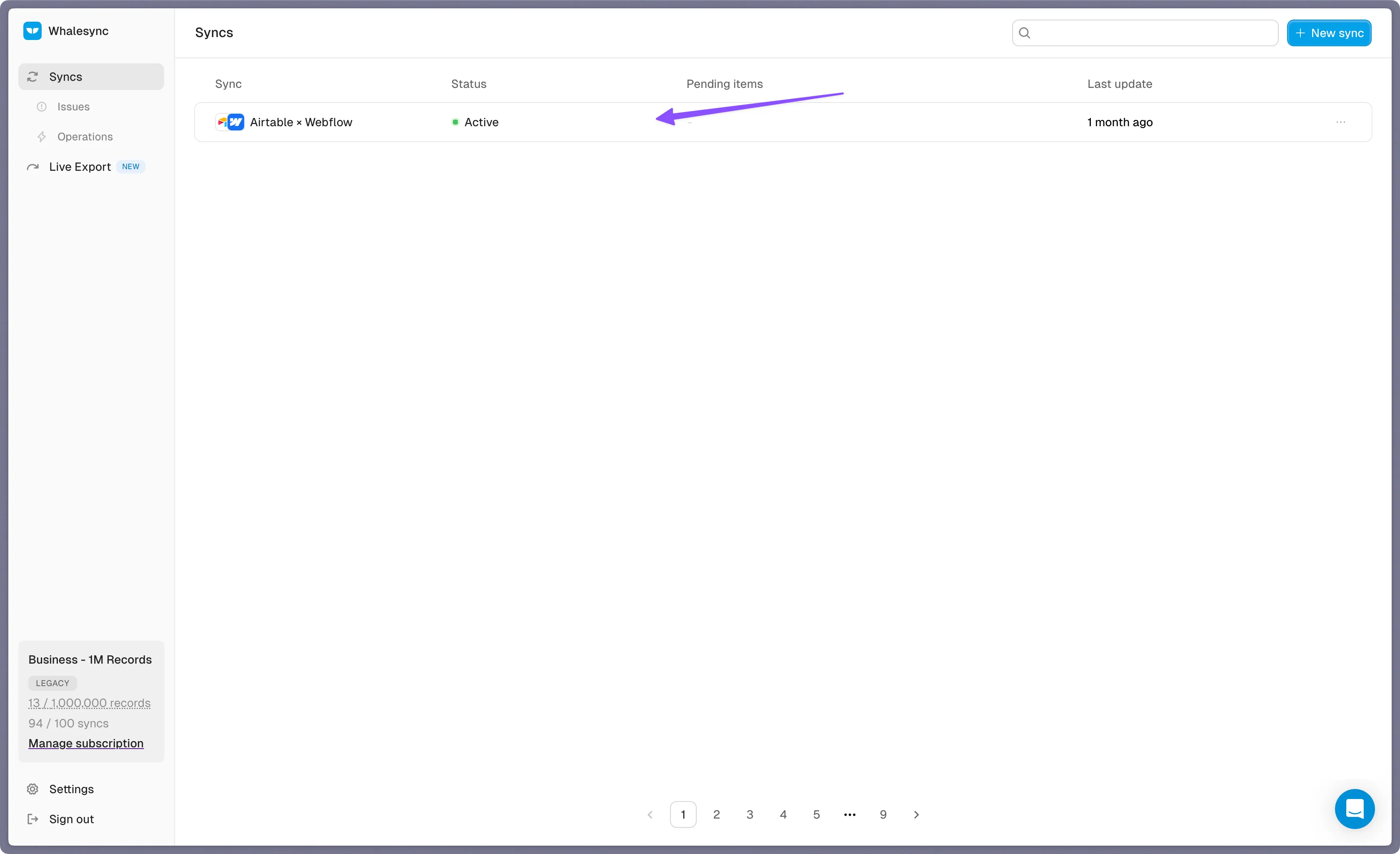
Open your sync
-
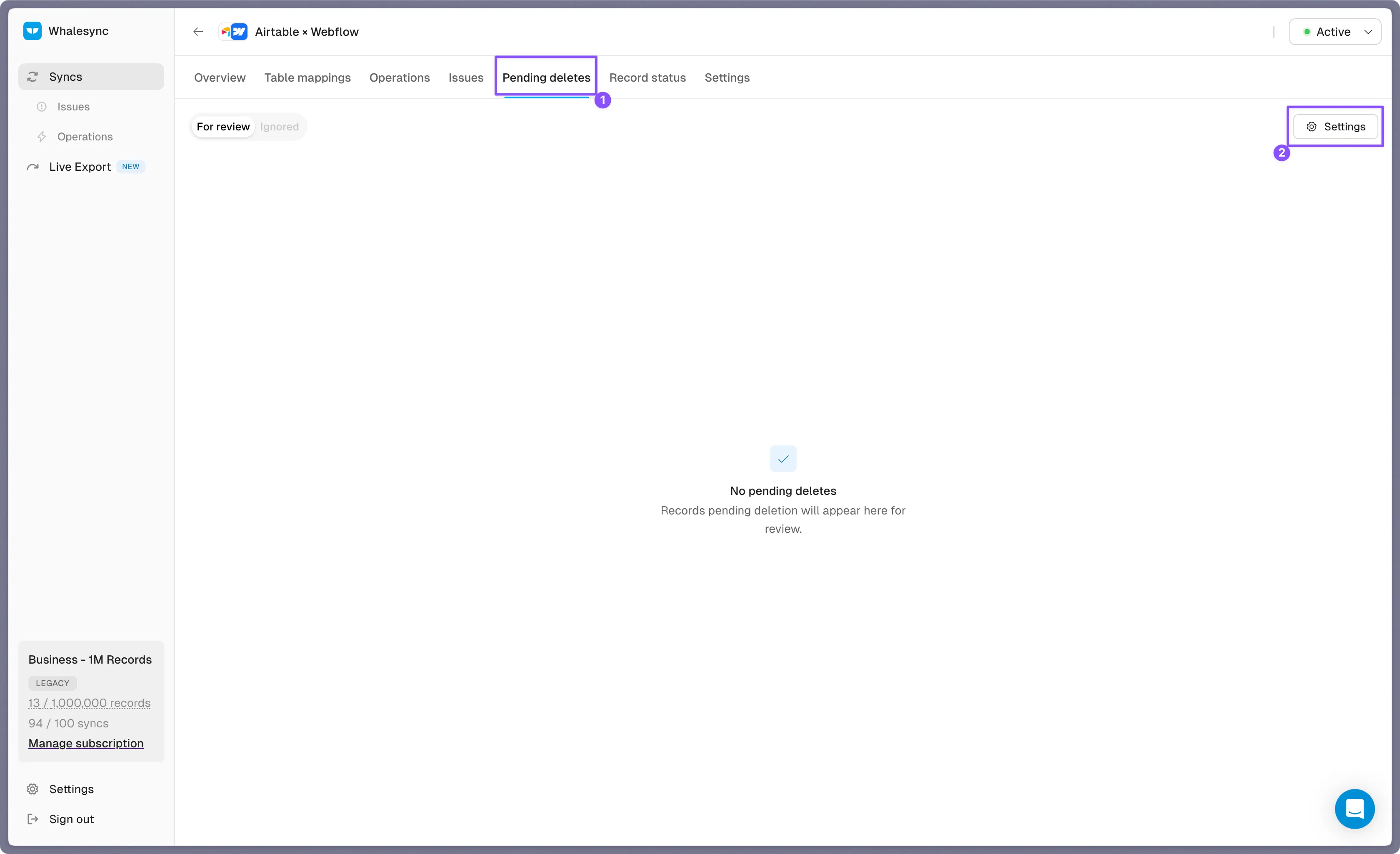
Click the Pending deletes tab and open the settings menu
-
Toggle on Auto-approve all deletes
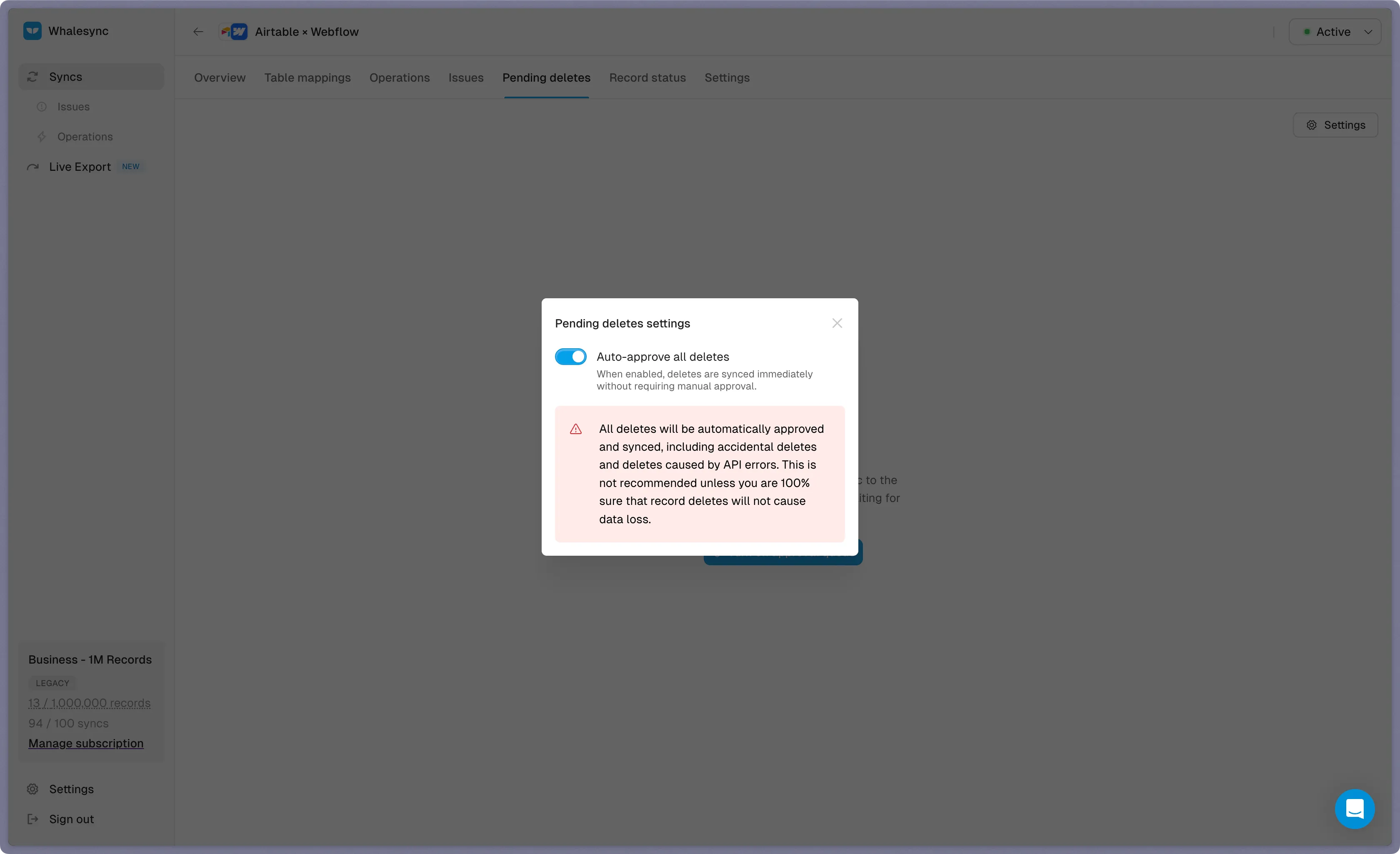
When this setting is turned on, all deletes will be immediately auto-approved and synced. We highly recommend not enabling this unless you're 100% sure that deleting records will not result in data loss.
Reviewing pending deletes
Section titled “Reviewing pending deletes”The Pending deletes tab lists each record waiting for review:
- Destination — which sync side and table the record would be deleted from
- Record — the primary field or remote ID of the record
- Detected missing — when Whalesync first noticed the record was gone
Select records individually with the checkboxes, or use Select all to act on every pending delete in the sync.
You have two actions:
- Approve — sync the delete to your destination. This permanently removes the record in your destination app and cannot be undone.
- Ignore — leave the record alone. Ignored records move to the Ignored tab so you can find them later if you change your mind. They're hidden from the active queue and don't trigger email notifications.
Email notifications
Section titled “Email notifications”If you have pending deletes accumulating, Whalesync will email you with a summary of the deletes that need approval. Emails are throttled to at most once every 24 hours per user, and only fire when there's new activity (the queue is actively growing). If you address everything and the queue stops accumulating, the emails stop.
Dashboard pill
Section titled “Dashboard pill”The sync list on your dashboard shows a Pending deletes pill alongside the Issues pill so you can see at a glance which syncs need attention. The pill only appears when there are active pending deletes for that sync.
Comparison with delete protection
Section titled “Comparison with delete protection”Delete protection is a stricter, table-level setting: it blocks all deletes from propagating to a destination. The delete approval queue is the lighter version: deletes still happen, but only after you've explicitly approved them.
Use delete protection when you never want a destination's records to be deleted by Whalesync. Use the delete approval queue when you want deletes to flow but with a human-in-the-loop check.