> For the complete documentation index, see [llms.txt](https://docs.whalesync.com/llms.txt). Markdown versions of documentation pages are available by appending `.md` to page URLs; this page is available as [Markdown](https://docs.whalesync.com/connectors/supabase/how-to-enable-webhooks.md).

# How to enable webhooks

Sync your Supabase data faster with Database Webhooks!

## What do webhooks do?

Webhooks are an optional feature of Supabase that Whalesync can use to speed up syncing of your data out of Supabase. When webhooks are enabled, Supabase will ping Whalesync whenever data is created, updated, or deleted in your database. This can speed up syncing because we don't have to check periodically for changes.

## How do I enable them?

1. Click on the Integrations tab when your project is selected in Supabase:
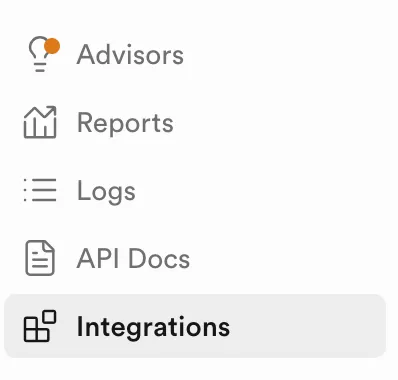
<figure><img src="https://2481481593-files.gitbook.io/~/files/v0/b/gitbook-x-prod.appspot.com/o/spaces%2FtLaMDbvbGOow76E8CnqW%2Fuploads%2Fgit-blob-e7ec7d18faa2ad1cfb202223116a7eba2c769e88%2FScreenshot%202025-03-17%20at%201.50.40%E2%80%AFPM.png?alt=media" alt="" width="199"><figcaption><p>Click the Integrations tab</p></figcaption></figure>

2. Search for "webhooks" and click on Database Webhooks
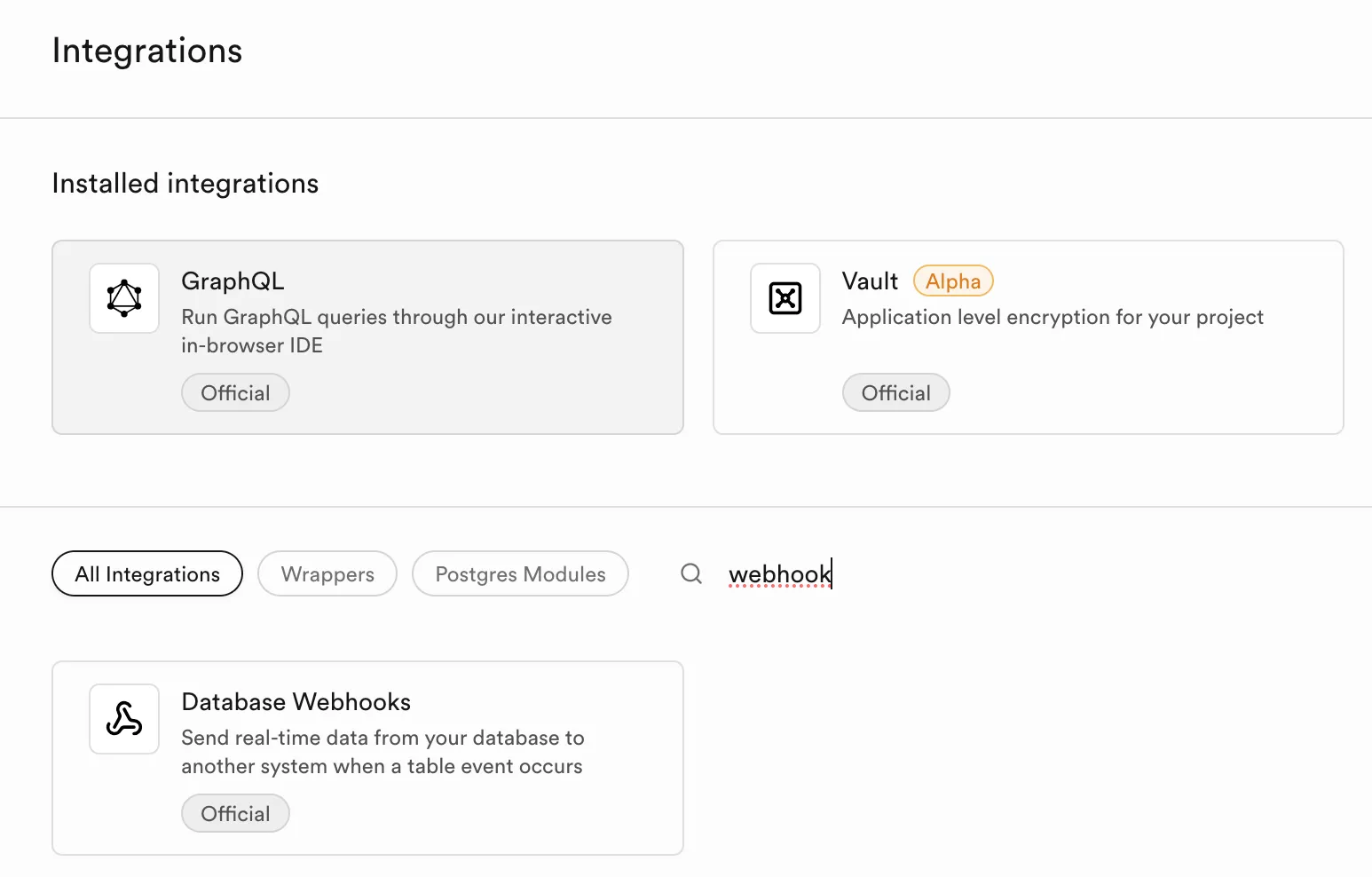
<figure><img src="https://2481481593-files.gitbook.io/~/files/v0/b/gitbook-x-prod.appspot.com/o/spaces%2FtLaMDbvbGOow76E8CnqW%2Fuploads%2Fgit-blob-82a7d2a277c2d63cc7cf2e81449bdb8cd7cae8f0%2FScreenshot%202025-03-17%20at%202.00.27%E2%80%AFPM.png?alt=media" alt=""><figcaption><p>Find the Data Webhooks integration</p></figcaption></figure>

3. Click "Enable webhooks"

<figure><img src="https://2481481593-files.gitbook.io/~/files/v0/b/gitbook-x-prod.appspot.com/o/spaces%2FtLaMDbvbGOow76E8CnqW%2Fuploads%2Fgit-blob-f8b01c292653d4d1a209babd904ac5d5f4d5778c%2FScreenshot%202025-03-17%20at%202.03.09%E2%80%AFPM.png?alt=media" alt=""><figcaption><p>Enable webhooks</p></figcaption></figure>

4. Whalesync will automatically detect that webhooks have been enabled within 10 minutes, and will create them automatically.
